What is Docker?
Table of Contents
- The Problem Before Docker
- What Docker Solves
- Virtual Machines vs. Containers
- Core Concepts: Image vs. Container
- Real-World Use Cases
- Install Docker Desktop
- Verify Installation
1. The Problem Before Docker
Before containerization, developers and operations teams frequently ran into the "It works on my machine!" syndrome.
-
Environment Drift: A project might work perfectly on a developer’s macOS or Windows laptop, but fail on an Ubuntu production server due to differences in OS versions, system libraries, or installed dependencies.
-
Complex Onboarding: Setting up a new team member's machine meant installing databases, runtimes, and background tools manually—a process prone to human error and time-wasting troubleshooting.
2. What Docker Solves
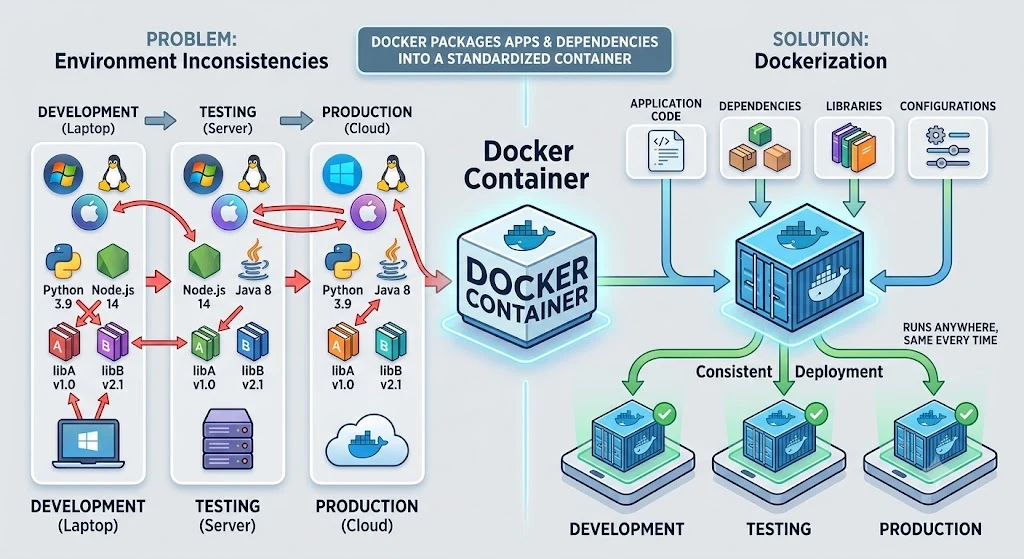
Docker solves environment inconsistencies by packaging an application along with all of its dependencies, configurations, and libraries into a standardized unit called a container.
-
Portability: If it runs in a Docker container on your machine, it will run identically on any server, cloud provider, or teammate's machine.
-
Isolation: Containers run in isolated environments on the host system, ensuring applications don't conflict with one another (e.g., running Node.js v16 and Node.js v20 side-by-side).
3. Virtual Machines vs. Containers
| Feature | Virtual Machines (VMs) | Docker Containers |
|---|---|---|
| Architecture | Includes full Guest OS + Hypervisor | Shares Host OS Kernel |
| Size | Gigabytes (GBs) | Megabytes (MBs) |
| Boot Time | Minutes | Seconds or milliseconds |
| Resource Usage | Heavy (CPU/RAM hardware allocation) | Lightweight (uses resources on demand) |
4. Core Concepts: Image vs. Container
-
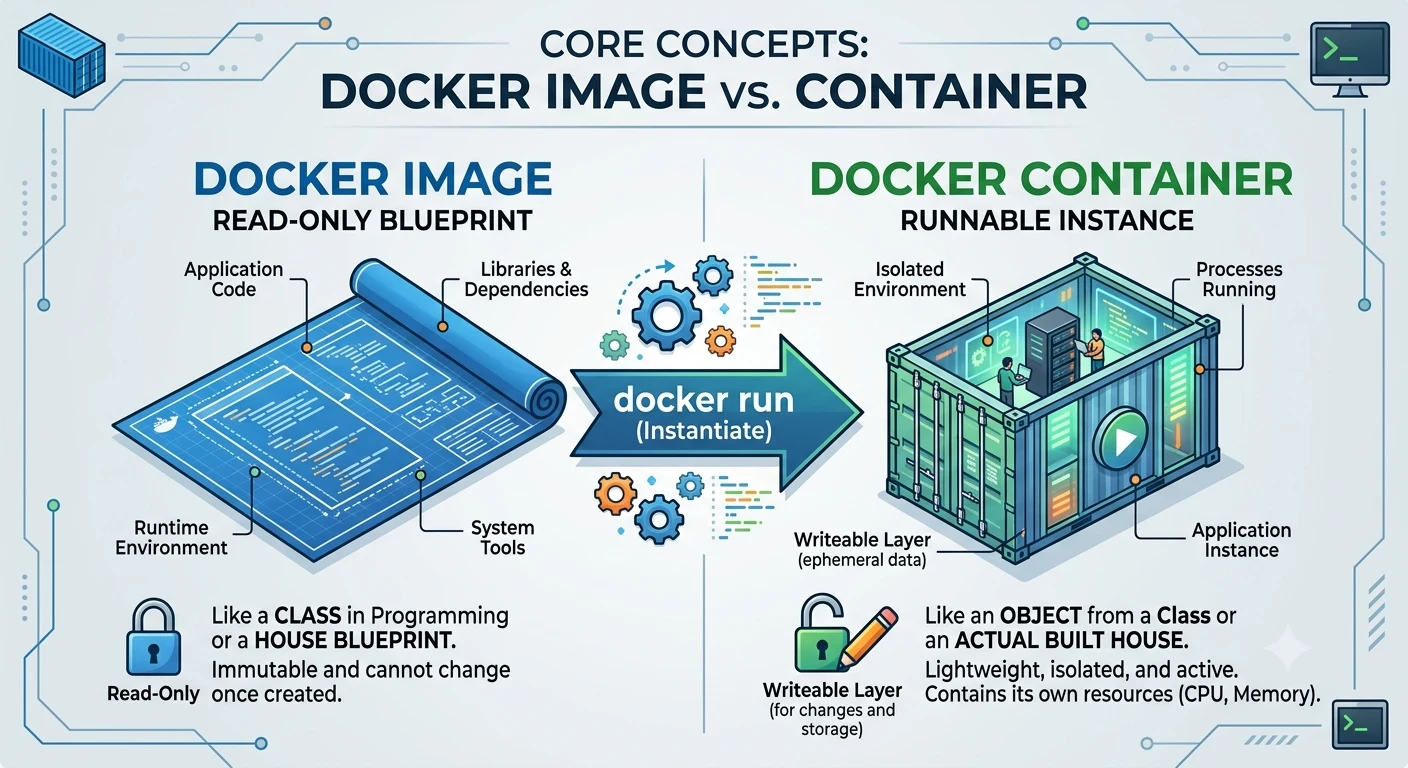
Docker Image: A read-only blueprint or template containing application code, libraries, runtime, and environment variables. (Think of it like a class in programming or a blueprint for a house).
-
Docker Container: A lightweight, runnable instance of an Image. (Think of it like an object instantiated from a class or the actual built house).
5. Real-World Use Cases
-
Microservices: Running multiple independent services (API, frontend, caching, database) isolated from each other.
-
CI/CD Pipelines: Running automated tests in reproducible, clean environments that spin up and destroy instantly.
-
Local Development: Running local instances of databases (e.g., PostgreSQL, Redis) without installing them directly onto your operating system.
6. Install Docker Desktop
Download and install Docker Desktop for your operating system (Windows, Mac, or Linux).
7. Verify Installation
Open your terminal or command prompt and verify the installation:
# Check Docker CLI version
docker --version

# Verify the Docker Engine is running by starting a test container
docker run hello-world
If successful, Docker will download the hello-world image from Docker Hub and display a confirmation message indicating your installation is working properly.
Buy Me a Coffee
Found this tutorial helpful? Consider buying me a coffee to support more free content!